Ludo
Ludo brings the classic dice-and-token racing board game to TokenXGames, with seat counts and board layouts that scale from a quick 1v1 to a full 6-player table.
How to Play
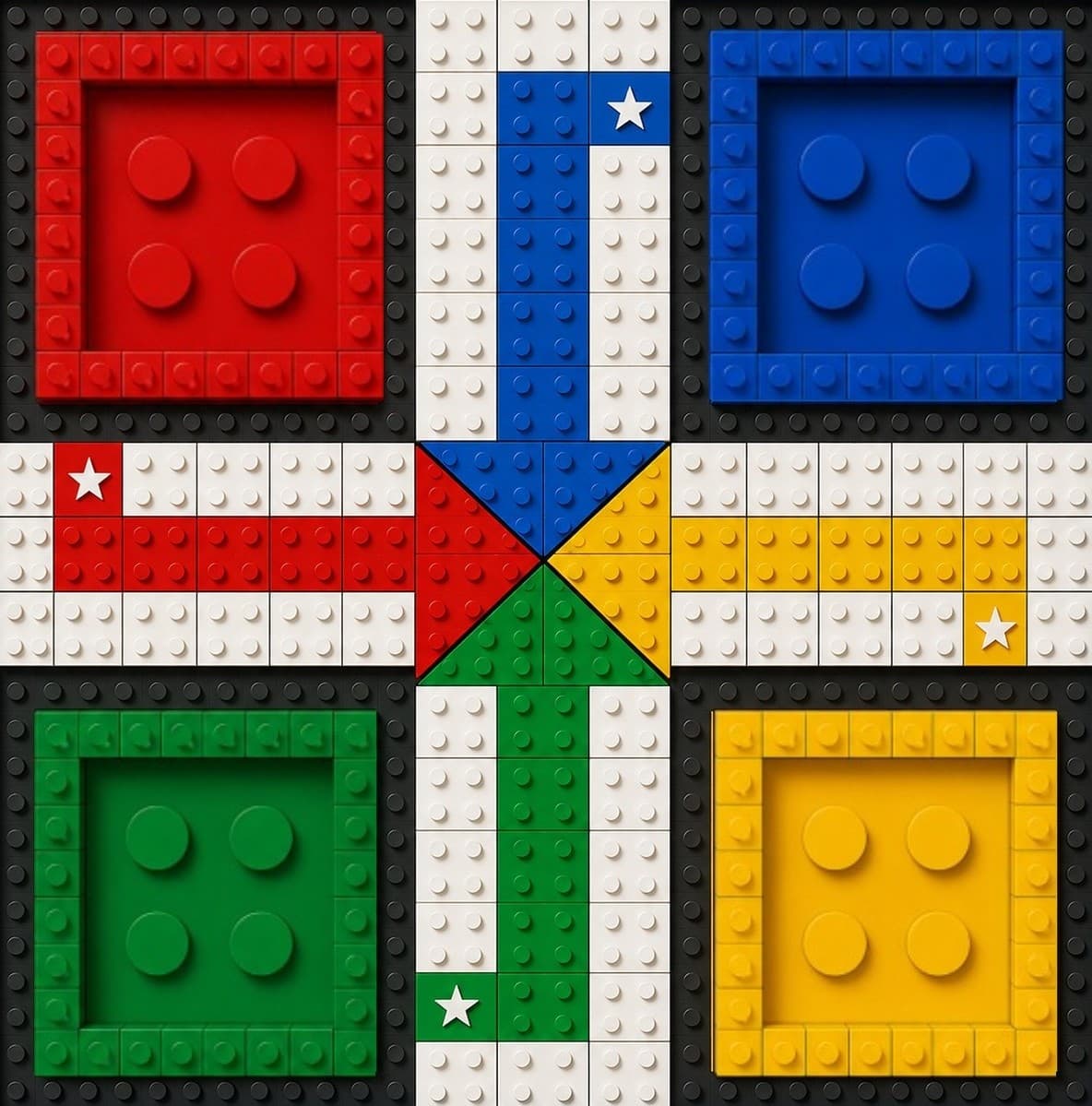
Ludo follows the traditional format: roll the dice to move your tokens from the yard, around the track, and home. Landing on an opponent's token can send it back to their yard, unless it's sitting on one of the board's starred safe squares, where captures can't happen.
Matches are played with 2, 3, 4, or 6 seats. 2, 3, and 4-seat matches use the classic square board layout. 6-seat matches move to a larger hex-shaped board built to fit the extra players.
Modes Available
- Play Bots — practice against AI opponents at Easy, Medium, or Hard difficulty.
- Online — matched with other players for a real-stakes match at your chosen seat count.
- Private Room — create a room and invite specific friends to fill the remaining seats.
Match Details
Seat count changes more than the number of opponents — it determines the board you play on. 1v1, 3-player, and 4-player matches (including the 4-seat 2v2 team format) run on the classic square board, while 6-player matches move onto the larger hex board built for six seats at once.
Bot difficulty is available at Easy, Medium, or Hard, so you can practice against tougher AI before playing a staked match. Whether you're racing bots, matched online, or playing a private room with friends, captures and safe squares work the same way: landing on an opponent's token sends it back to their yard, unless that token is sitting on one of the board's starred safe squares.
The 4-seat format comes in two flavors: a free-for-all 4-player match where every seat plays for itself, and a 2v2 match where four seats are split into two teams. Each token moves through the same stages regardless of format — starting in the yard, moving onto the track, entering the home column, and finally reaching home. Every seat plays on its own turn timer, and players can chat with each other during the match through the in-game chat panel.
Staking & Payout
Online and Private Room matches use a Coin stake chosen before the match starts. Betting rules, withdrawal terms, and how disputes are handled are the same across every TokenXGames game — see the Rules page for the full betting, dispute, and withdrawal terms rather than duplicating them here.
Getting Started
- Open TokenXGames in Telegram and sign in with your Telegram account.
- Open Ludo from the games list.
- Choose your seat count — 1v1, 3-player, 4-player (including 2v2 teams), or 6-player.
- Pick a mode — Play Bots to practice for free, Online to be matched with real players, or Private Room to invite specific friends.
- If you're staking Coins, confirm your bet before the match starts.
If you haven't played a 6-seat match before, try it against Easy bots first — the hex board layout and the extra opponents change how captures and safe squares come into play compared to the smaller square board.
Strategy Tips
Prioritize getting at least one token onto a starred safe square early, especially in 4 and 6-seat matches where more tokens are in play at once — a token sitting on an unsafe square is a target the moment any opponent rolls the right number.
In 6-player matches on the hex board, don't spread all your tokens out from the yard at once. With six seats active, the track sees far more traffic than a 1v1 or 3-player match, and a cluster of your own tokens close together is easier to defend than tokens scattered across the board.
In 2v2 four-seat matches, coordinate with your teammate through the in-game chat panel before committing a token to the home stretch — a token racing home alone is easier for the opposing team to capture than one your teammate is actively covering.
Play a 6-seat match against Easy bots before trying it Online — the hex board changes which squares are safe and how far captures can reach compared to the square board used in smaller matches, and that's easier to learn without Coins on the line.
More games: Rollix, Ticton, Timewar — or see answers to common questions on the FAQ page.